
How can I see if my carrier is connected
After logging into your company account, go to the Connectivity section to see the status of your invited partners or to invite new carriers.
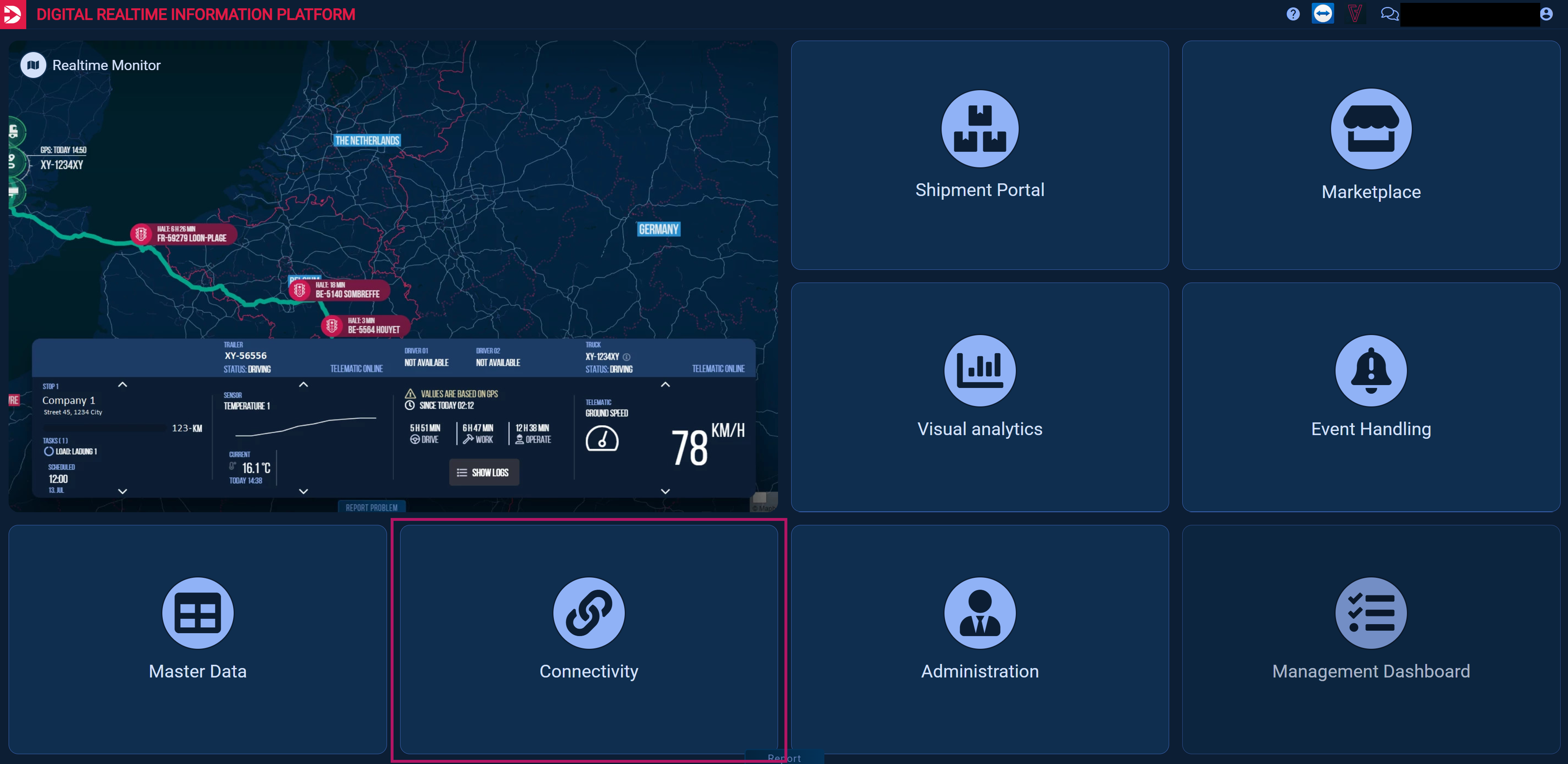
Then, in the left sidebar menu, you must select the “Trusted Partner” subpage.
An overview will open with connected and invited companies and their corresponding data.
In the top bar (1), you can see how many companies you have invited, how many are already connected, and how many vehicles are manually shared with you.
Important: This number refers only to vehicles that are manually shared with you.
->What tracking options are available? (Manual Vehicle Sharing)
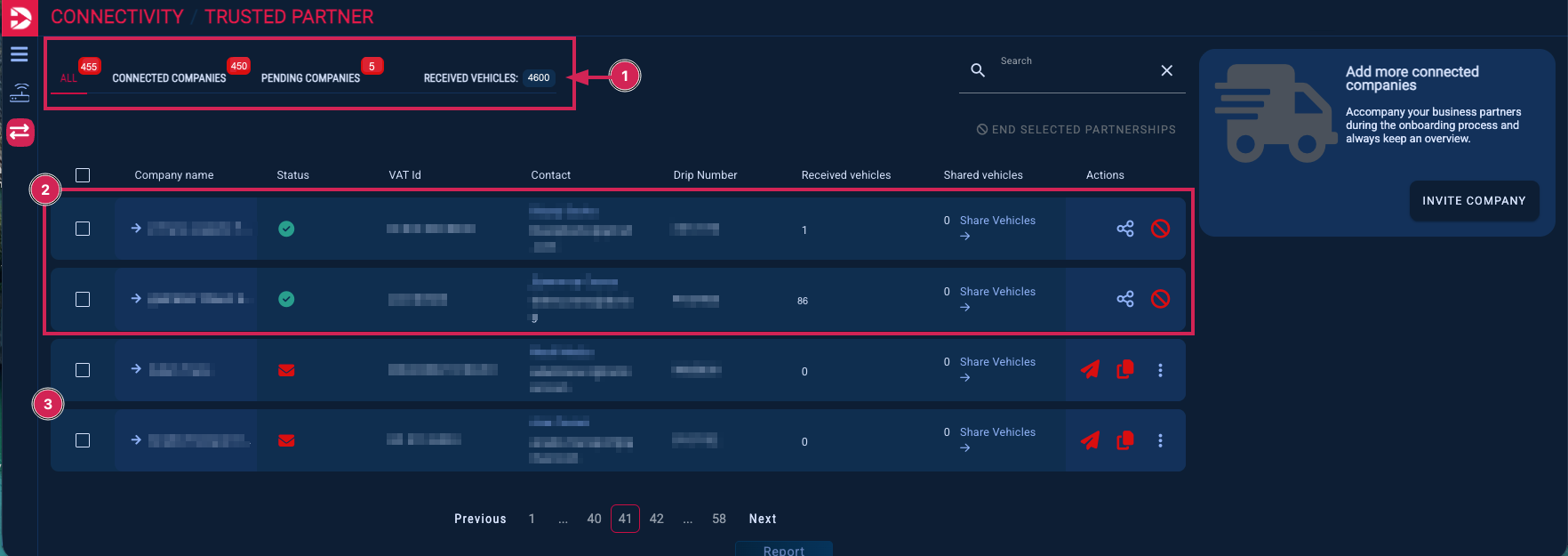
A carrier who has already been invited but has not yet registered can be recognized by the empty Company Name and DRIP Number fields.

If a carrier manually shares vehicles with you, the number of shared vehicles is shown under Received Vehicles (1). For more details, click on the company name (2).

Here you can see which and how many vehicles you have received, along with details such as their current status and license plate. A green checkmark indicates that the vehicle is currently active and transmitting data.
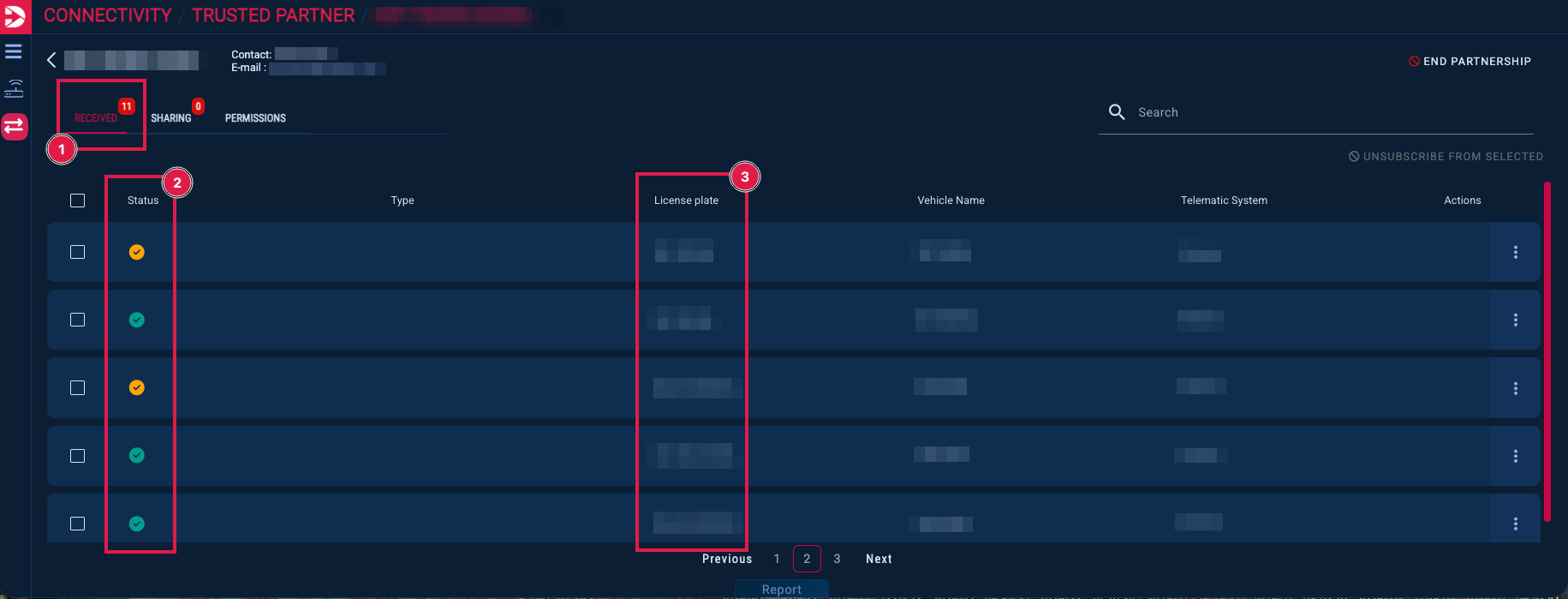
The orange checkmark in the status indicates that the vehicle has not been active for more than one hour (no position data has been transmitted). Possible reasons include the vehicle being stationary due to a break or similar, or the vehicle’s GPS system no longer transmitting data to DRIP.


When hovering over the status checkmark, you can see when the last position was transmitted.
You can see all vehicles shared with you in the Realtime Monitor and in the Device List, but only if the vehicle(s) are in the same group as you.
If a vehicle is currently on a tour, you can see this in the Arrival Monitor.
Please note that this is the only way to view vehicles that have been shared with you via order-based tracking ->What tracking options are available? (Order-Based Tracking).
These vehicles are visible in the Arrival Monitor only for the duration of the tour
->https://d3eif.atlassian.net/wiki/spaces/DPKB/pages/2252341249 and are not shown in the Device List or the Realtime Monitor.
If you have any questions or encounter any issues, please feel free to open a ticket by contacting support@drip-log.com.
Below you will find some helpful guides that you can share with your carriers.