
What are groups for?
The Default Group – The central pool for all vehicles
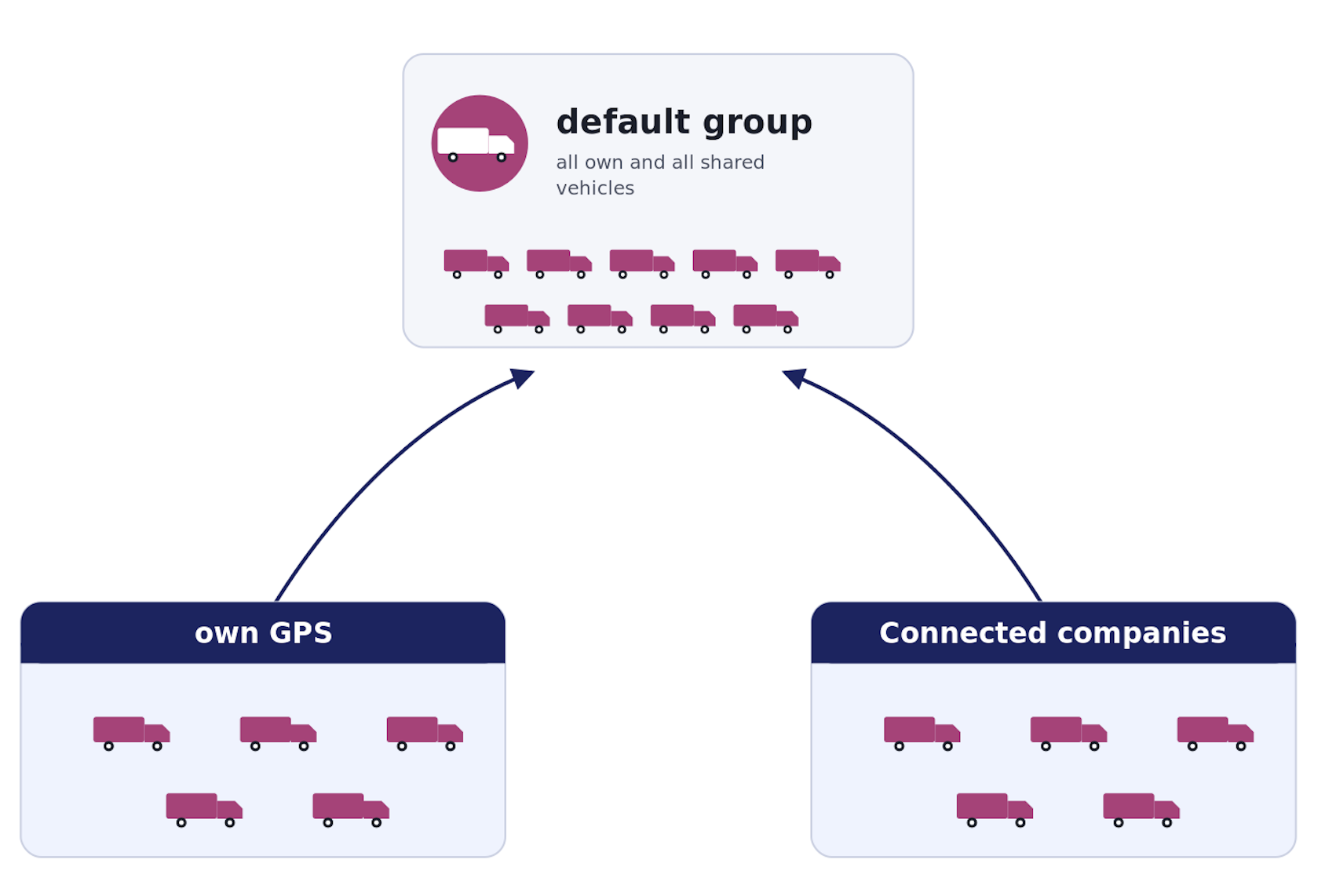
All vehicles that enter your account, whether they are your own vehicles, new GPS transmissions, or vehicles shared by other companies, are automatically placed in the Default Group.
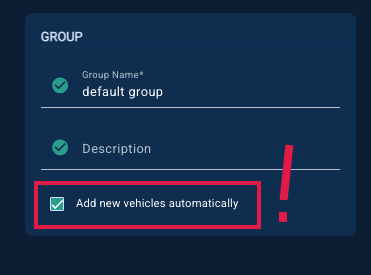
This group acts as a central collection point. If the corresponding option (“add new vehicles automatically”) is enabled all new vehicles will also be automatically added here.
Creating custom groups – Why and how
When there are many vehicles, the list can quickly become confusing. Although administrators can always see all vehicles, they don’t always need the full overview. In addition, not every user should see all vehicles—often only a specific group of vehicles is relevant.
That’s why groups are created.
Administrators can create groups at any time, for example:
“National”
“International”
They then add only the vehicles and users based on their area of operation.
This makes it much easier to keep an overview and ensures that everyone only sees what they really need.
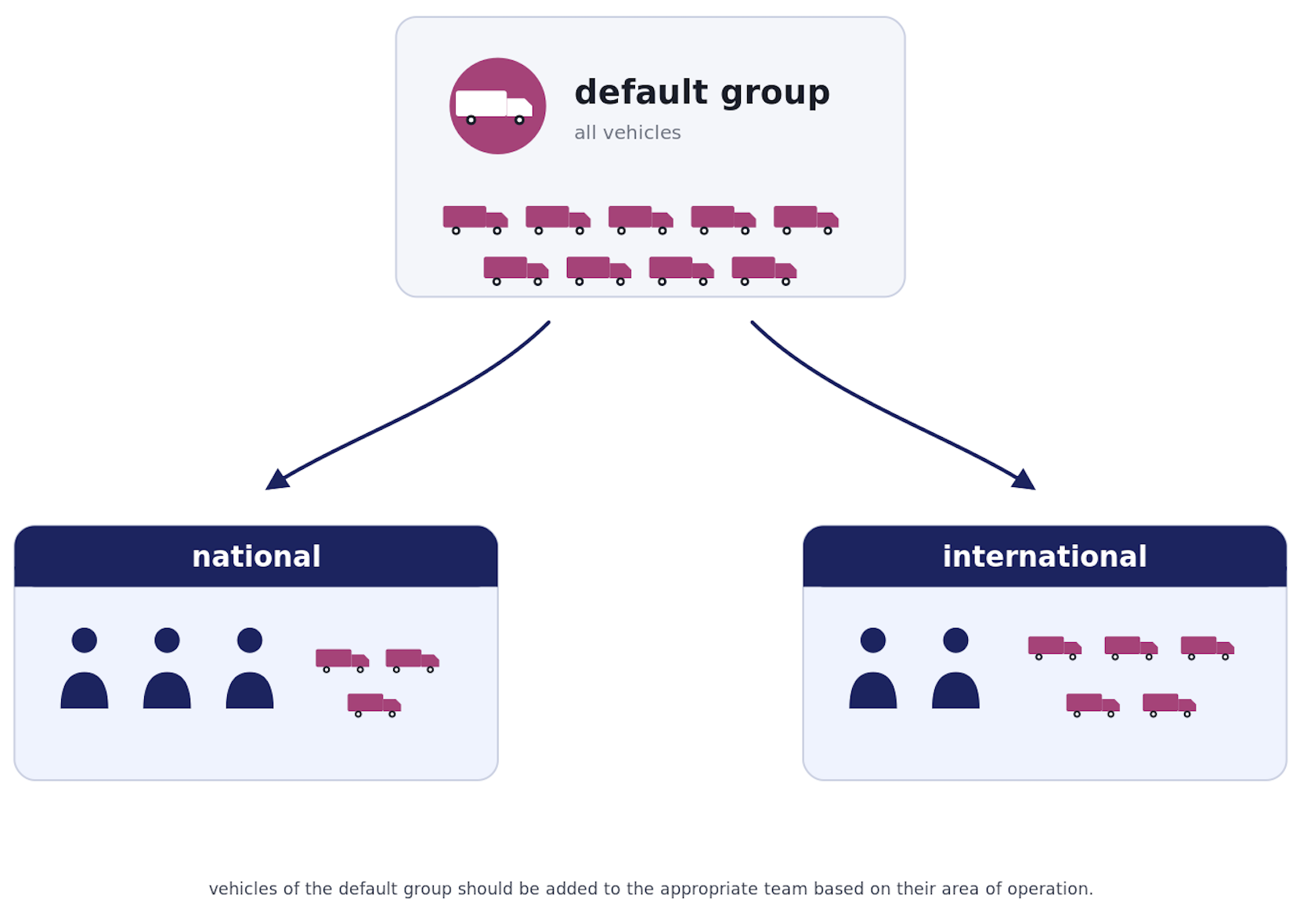
Vehicles always remain in the Default Group (they are not removed), but they can also be added to one or more custom groups.
Think of groups as filters:
Vehicles are still globally available, but can be organized and viewed in a structured way.
Users & roles
Administrator
Has full access to all vehicles (Default Group + all custom groups) and can manage everything.
Group Admin (within a group)
Can manage a specific group only, including adding or removing vehicles and users.
Subaccount
Can only see vehicles assigned to their group(s). They do not have permission to modify groups.
Filtering in the vehicle list/ real-time monitor
Administrators can filter vehicles by group in the vehicle list or real-time monitor, allowing them to focus only on relevant vehicles. Described here: The Vehicle List
Subaccounts automatically see only the vehicles assigned to their group(s), so no filtering is required.