
How to use D4D on your iPhone and add it to the Home Screen
Open D4D in your browser
Open your browser on your iPhone.
Enter the following URL in the address bar (1):
https://d4d.drip-log.com/
CHROME:
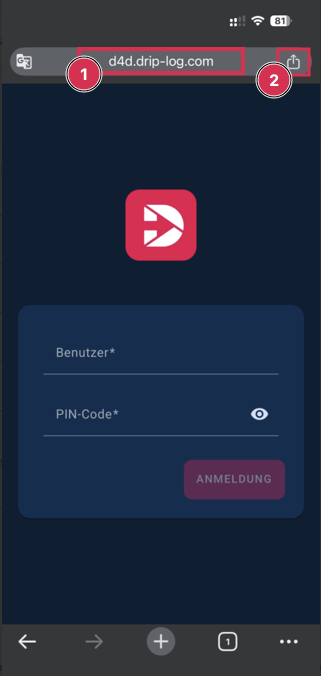
Tap the Share icon (2) next to the address bar
SAFARI:
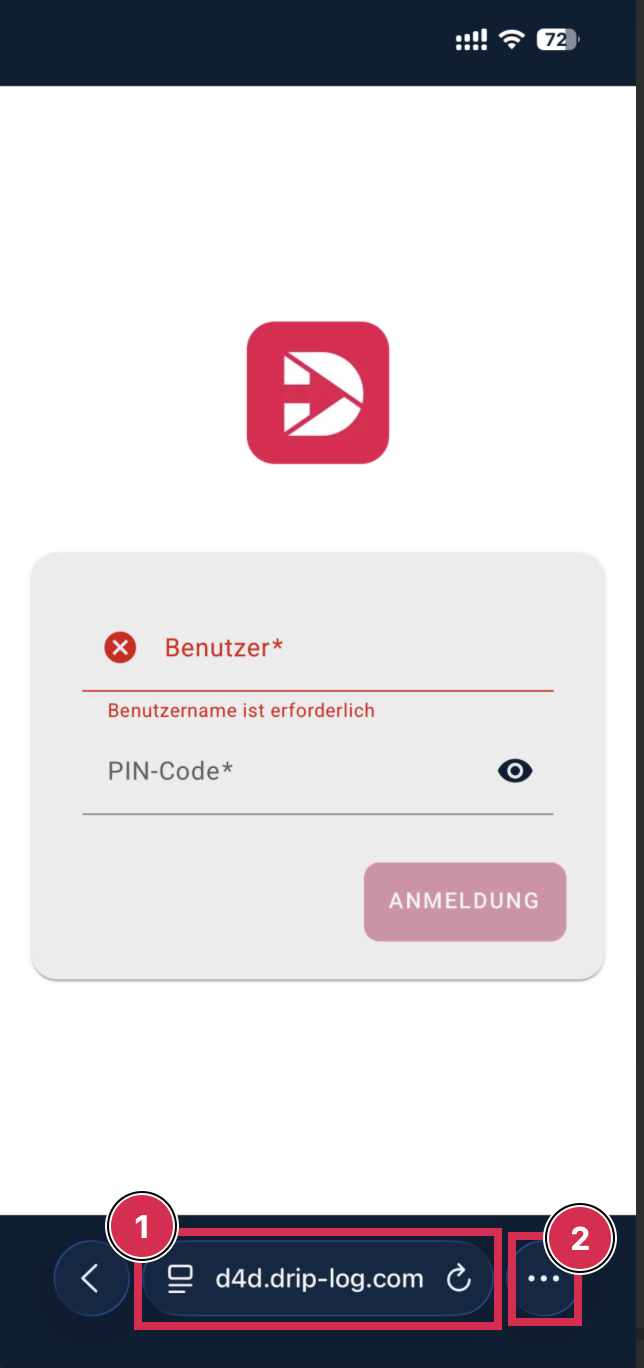
Here, please tap the three dots next to the address bar (2).
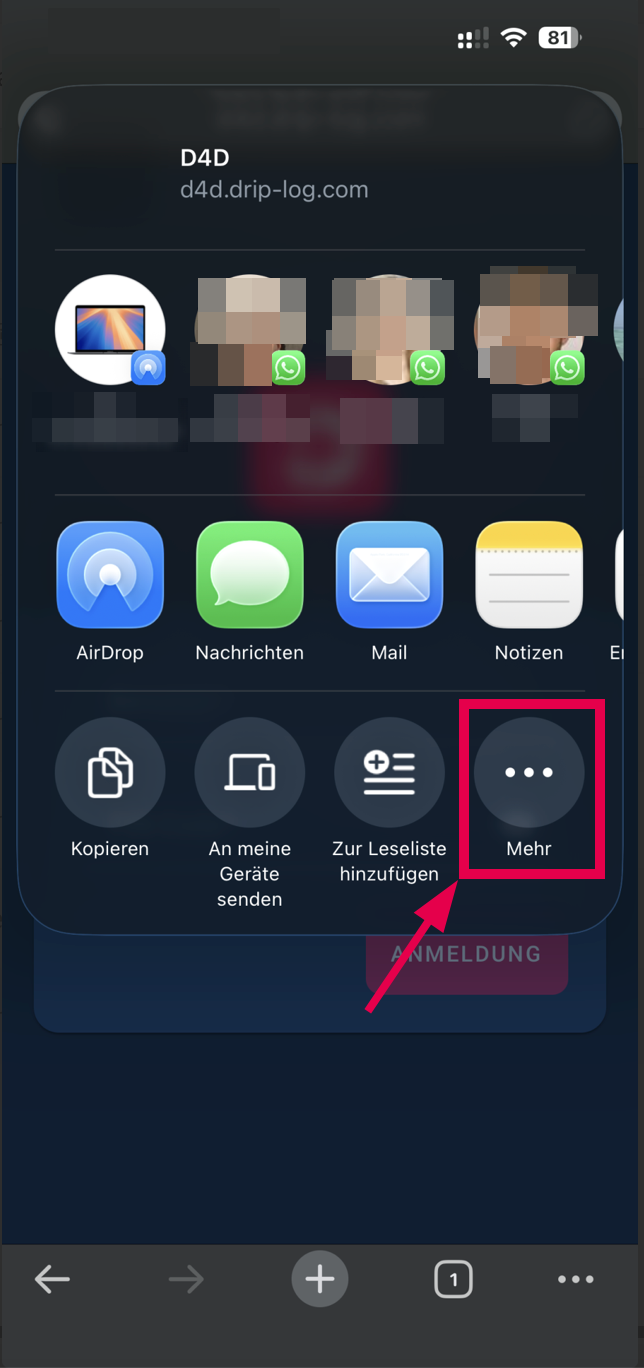
Here, please tap on the three dots
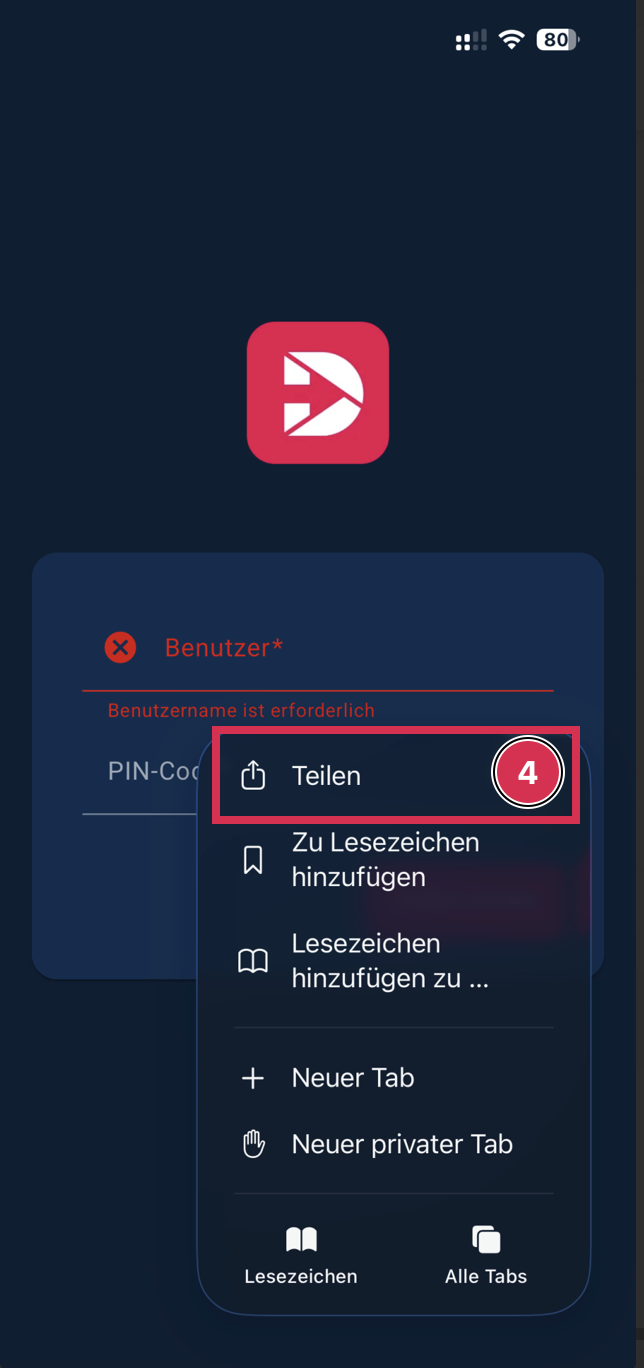
In Safari, tap the Share icon (4) at the bottom of the screen.
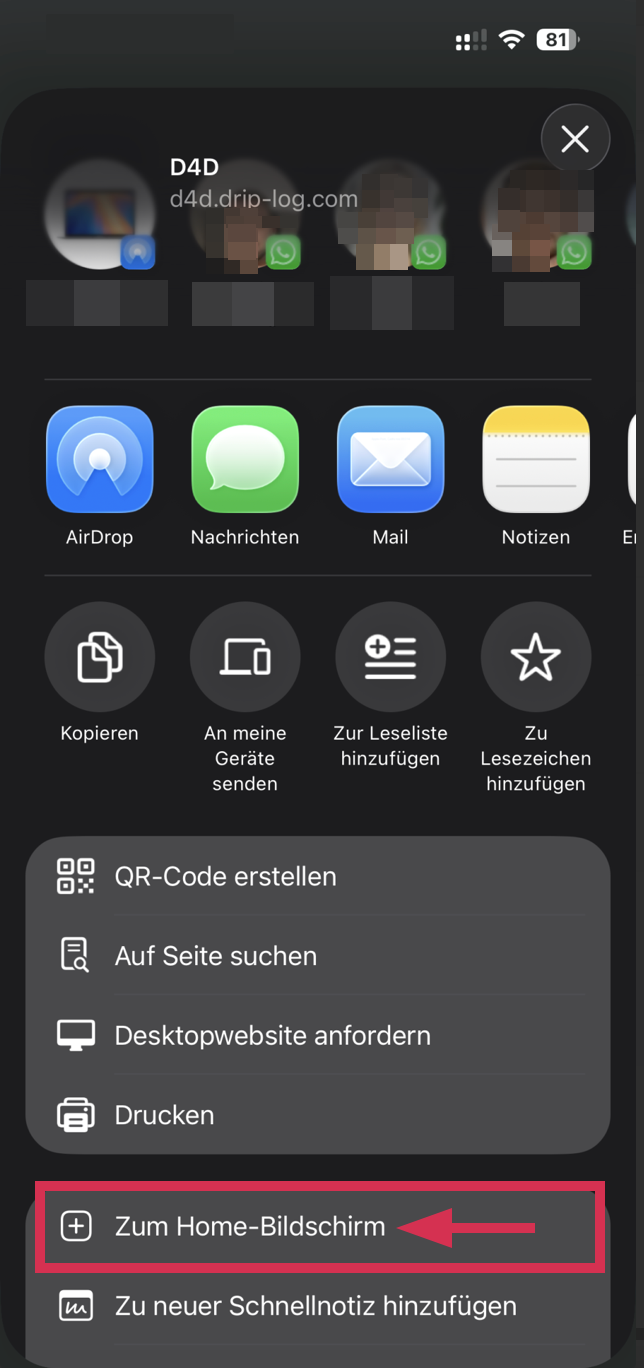
Scroll down in the menu.
Tap “Add to Home Screen.”
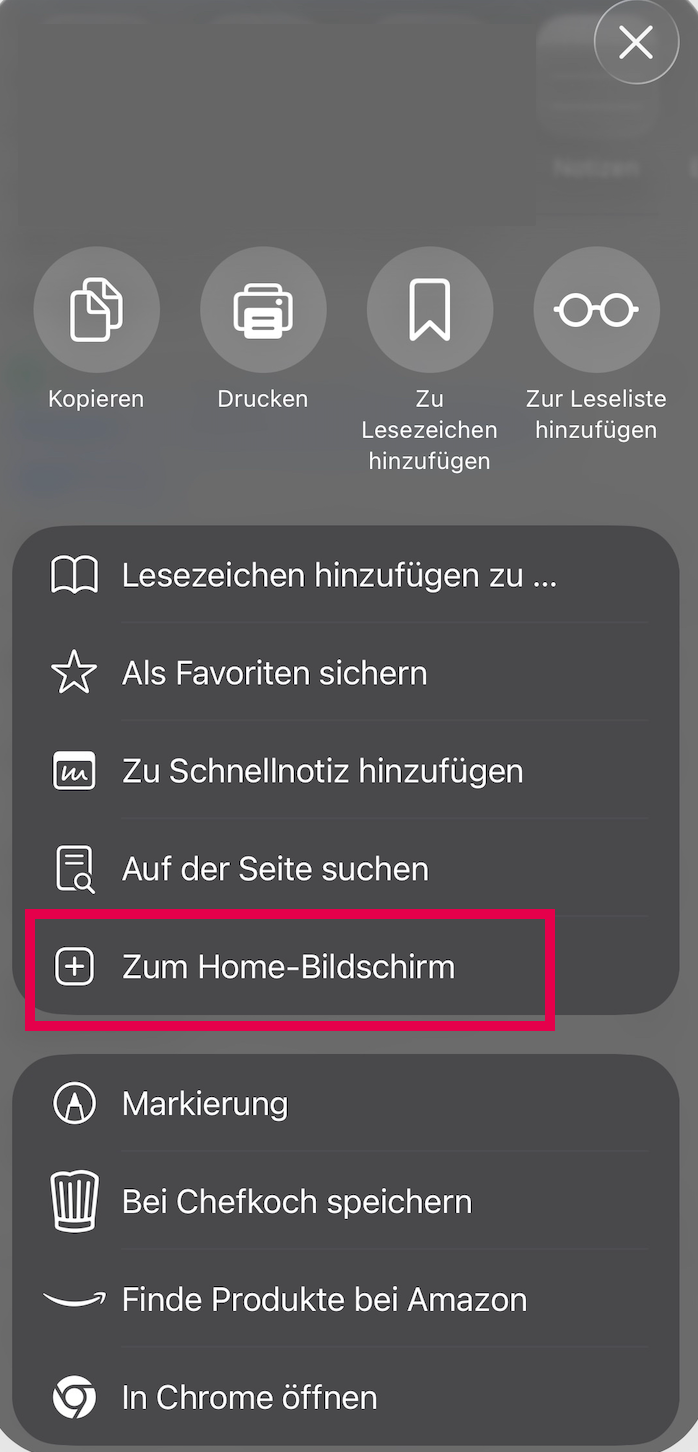
Scroll down in the menu.
Tap “Add to Home Screen.”
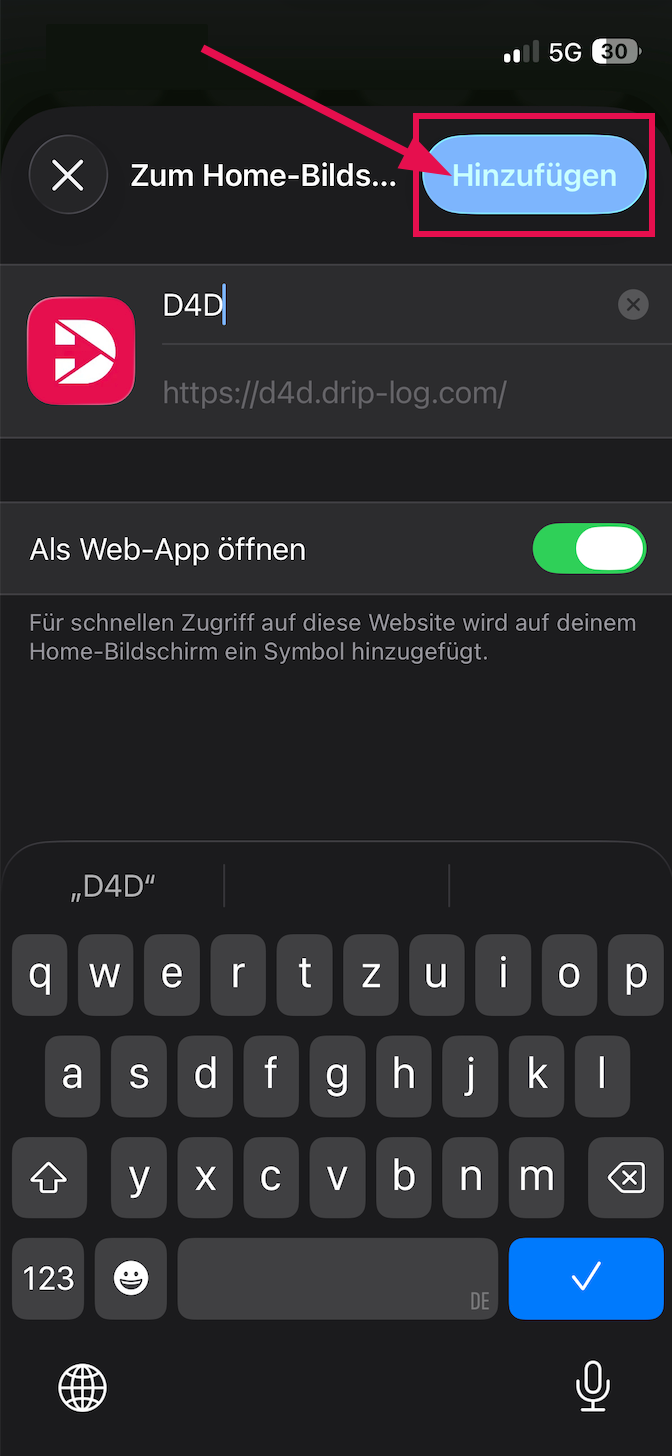
The name “D4D” is already prefilled – confirm by tapping “Add.”
Go to your iPhone’s Home Screen.
Tap the newly added D4D icon — D4D will now open directly like an app.
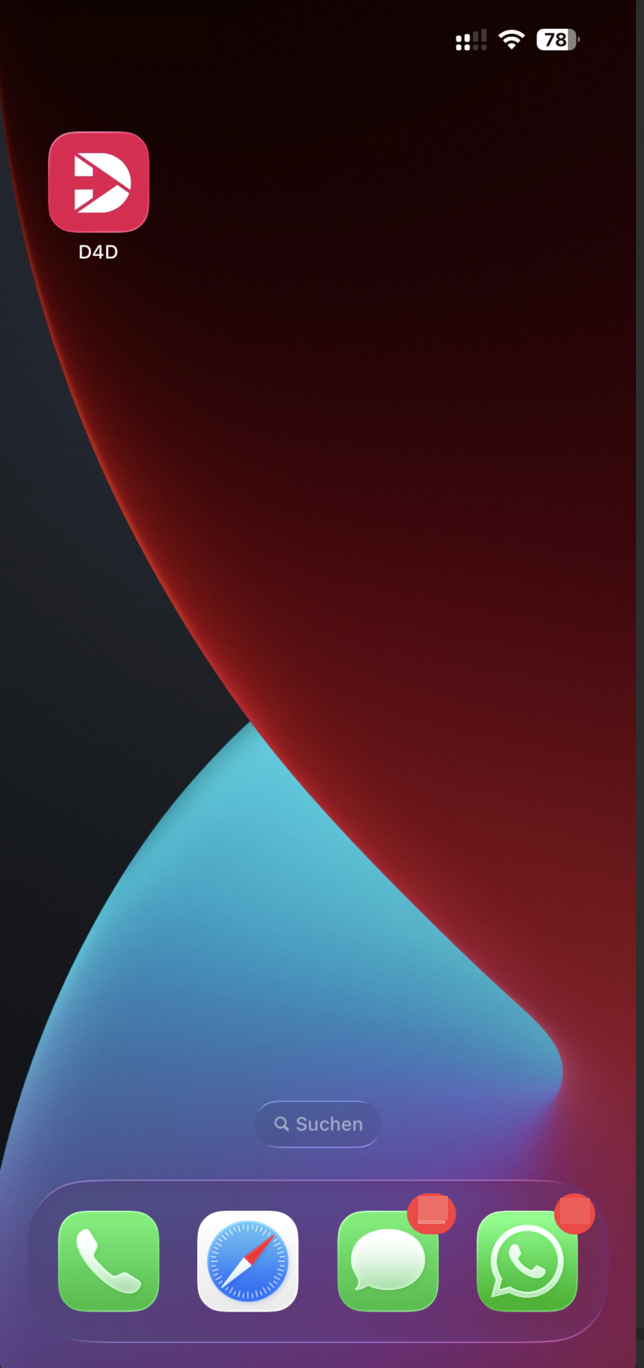
The D4D app for iPhone is only available as a web app (no App Store download required).
A stable internet connection is required.
If you experience login issues, please check your username and PIN or contact support at support@drip-log.com.